
How to Choose a Cellular Construction Site Security Camera (5 Options Compared)

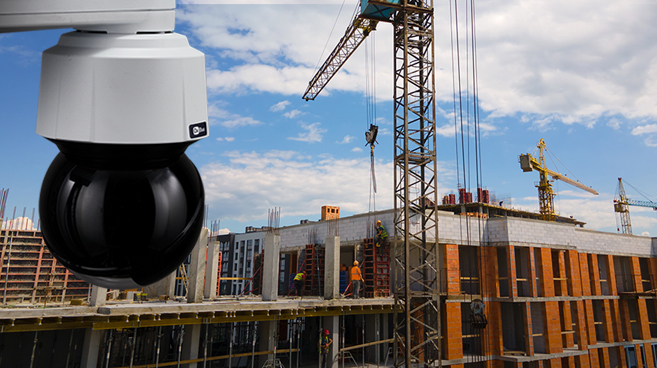
How to choose a cellular construction site security camera (and 5 options compared)
Before you mount a camera on a pole, you need to know how it connects, how it's powered, what it sees at night, and who watches it. On a jobsite without permanent power or internet, the answer is usually a camera with built-in LTE and solar backup.
Most camera systems handle one or two of those jobs. This guide compares the four common types with OxBlue Construction and Security Cameras, which covers documentation and security on one platform.
Quick guide: 5 cellular jobsite camera options for contractors
- Battery-powered cellular photo cameras: Portable units that send motion-triggered still images
- Cloud time-lapse services: Cellular-connected cameras focused on progress documentation
- Standalone time-lapse cameras: Compact units that record to SD cards, with no live video
- Enterprise camera platforms: Networked systems used on large infrastructure and commercial builds
- OxBlue Corporation: The best overall choice, with time-lapse, live video, AI analytics, and professional security monitoring on one cellular platform. OxBlue combines the benefits of most cellular jobsite cameras for a comprehensive, easy solution to set on site.
How we chose the best cellular security cameras for construction sites
Each type of system has to answer to the types of problems contractors face on jobsites.
- Cellular out of the box: Does it have a built-in 4G LTE modem, or do you need separate hardware and a data plan?
- Power: Can it run through several days without sun on solar and battery?
- Night vision: Can you identify a person at a distance in darkness?
- Monitoring: Can live agents verify threats and dispatch police, or do you review every alert yourself?
- Storage: Is storage unlimited, or are you working around data caps and monthly fees?
- Setup and durability: Can you install or move it easily, and will it survive years outdoors?
1. OxBlue Corporation: Best overall cellular camera for construction security and documentation
OxBlue is the only option in this guide that handles documentation, live video, AI analytics, and professional security monitoring in one system. Many clients run more than one of its three camera lines on the same site:
- Cobalt for exterior time-lapse and documentation, at up to 60MP
- Sapphire for live video and security, in PTZ, static infrared, and MultiCam configurations
- Indigo for interior work, with ultra-wide angle lens and lightweight body that makes it easy to mount and move
All OxBlue construction cameras have internal LTE antennas pre-configured for the strongest carrier in your project area, so you don't manage a separate modem or cellular plan. Every camera also works with OxBlue's solar power camera options. You can choose a stationary panel, a trailer-mounted station, or a 30-foot telescopic crank mast, each with a 5-day average battery backup.
OxBlue offers construction jobsite security cameras in three tiers. Detect is self-monitoring with AI-filtered motion alerts. Defend adds live agents at a UL-Certified, 5 Diamond monitoring center who verify threats and dispatch emergency services. Deter adds strobes, talk-down audio, and anti-tamper switches. Sapphire MultiCam configurations meet Builder's Risk Insurance requirements for underwriters including Highland, TRU, Travelers, Intact, and USI.
Pros:
- Documentation, AI analytics, and security on one platform, with one contract and a dedicated support rep
- Features are not locked to a “tier” or behind a gate
- Unlimited cloud storage with no image caps
- Unlimited seats to connect stakeholder accounts across companies
- Monitoring and deterrence configurations meet Builder's Risk requirements for major underwriters
Cons:
- Interior camera models don't include live streaming (video on demand only)
- PTZ cameras need a larger solar panel (180W+) than fixed-position models
- Professional monitoring is an add-on rather than included by default
2. Battery-powered cellular photo cameras: Built for short-term site coverage
These battery-powered cameras send motion-triggered still images over LTE to a mobile app. They're small enough to mount on a fence line or gate post in minutes.
Pros:
- Fast deployment with minimal hardware
- Small enough to fit where larger systems can't
Cons:
- Still images only, with no live video or recording
- Per-camera data subscriptions, often with monthly image caps
- Professional monitoring and dispatch are rarely available
How OxBlue compares: Sapphire cameras also send motion alerts, and AI filters out bugs, birds, and distant traffic. When an alert comes in, you can pull up live video instead of a single still. Optional professional monitoring adds certified agents that verify the threat and call police, which a photo camera can't do.
3. Cloud time-lapse services: Built for progress documentation
These services use cellular cameras to capture time-lapse imagery and live views through a web dashboard. They're built for progress monitoring, not security.
Pros:
- A full time-lapse record of project progress
- Browser access from any device, with cellular included
Cons:
- Live-agent monitoring and dispatch typically aren't integrated
- Deterrence hardware like strobes and audio warnings usually isn't offered
- Night vision is often limited
How OxBlue compares: Time-lapse is included with every OxBlue subscription, with weather data on every image so you can go back and prove a rain day. Once the site has equipment worth stealing, the same platform covers security, so you don't need a second vendor.
4. Standalone time-lapse cameras: Built for simple progress documentation
These battery-powered cameras capture images at set intervals and record to SD cards. Most have no cellular or cloud access, so someone has to drive out and pull the card.
Pros:
- Battery life measured in months
- Simple setup with no network configuration
Cons:
- No live remote access
- No motion alerts, night vision, or monitoring
How OxBlue compares: Time-lapse is where OxBlue started, and every OxBlue camera captures it. Images upload over LTE the same day they’re taken, so you can build a time-lapse from any date range and on demand. At the end of every project, OxBlue’s in-house editors deliver a professional time-lapse, with upgrades available for custom presentations.
5. Enterprise camera platforms: Built for large commercial and infrastructure builds
These platforms pair 4K cameras with cellular or mesh connectivity and AI analytics for large-scale documentation. Installation usually runs through the vendor’s technical team.
Pros:
- 4K imagery for detailed documentation
- AI analytics that automate progress reporting on large builds
Cons:
- Installation requires coordination with the vendor
- Built for enterprise programs, not single-site contractors
- Live-agent monitoring and dispatch typically aren’t integrated
How OxBlue compares: Cobalt captures stills at up to 60MP, roughly seven times the pixels in a 4K frame, and supports 1,640% digital magnification. For live viewing, the 8MP Sapphire PTZ adds 20x optical zoom. OxBlue’s AI is trained on construction jobsite imagery to track crew activity, 11 equipment types, and hard hat and high-vis compliance, and directors of construction can rank activity across a portfolio. Cameras arrive pre-configured and a nationwide installer network handles setup, so the same platform works for one site or a national program.
Comparison table: Cellular security camera options for construction sites
|
Camera system |
Built-in LTE |
Time-lapse |
Live video |
AI analytics |
Live-agent monitoring |
Solar + battery backup |
|
OxBlue Corporation |
✓ (all models) |
✓ |
✓ |
✓ |
✓ (UL-Certified) |
✓ (5-day average) |
|
Battery-powered cellular photo cameras |
✓ |
✗ |
✗ |
Varies |
✗ |
Optional solar accessory |
|
Cloud time-lapse services |
✓ |
✓ |
✓ |
Varies |
✗ |
Often available |
|
Standalone time-lapse cameras |
✗ |
✓ |
✗ |
✗ |
✗ |
Battery only |
|
Enterprise camera platforms |
✓ |
✓ |
Varies |
✓ |
✗ |
Often available |
Category rows reflect typical configurations. Individual products vary, so confirm specs with any vendor you're considering.
What should you look for in a cellular camera's night vision?
Jobsites sit empty every night and weekend. Equipment theft costs the industry an estimated $1 billion annually, and only 21% of stolen equipment is recovered, according to data from NER, Verisk, and NICB. A camera that only produces grainy footage after dark won't help you identify a person or read a license plate.
Look for infrared rated for at least 100 feet. OxBlue's construction security cameras have low-light and infrared options that capture hundreds of feet.
How do solar-powered cameras stay connected without Wi-Fi?
A solar cellular camera runs two separate systems. The panel and battery handle power, and an internal 4G LTE modem sends images and video to the cloud.
Coverage depends on the carrier. Your phone can only use its own carrier, so a site where you get no bars may still have strong coverage from another network. OxBlue picks the carrier with the strongest signal at your project’s location, so the camera can stay connected where your phone can’t.
OxBlue’s support team also monitors connection health remotely and adjusts settings to keep cameras online where signal is marginal. Our guide to solar construction cameras covers setup in more detail.
Why OxBlue Corporation is the best cellular security camera for construction sites
Each alternative in this guide solves part of the problem. OxBlue handles documentation and security on one cellular platform. Its AI-filtered alerts, professional monitoring, and deterrence hardware also work in layers, which gives underwriters documented protection.
Cameras go up before power and the internet do, so plan coverage before you mobilize. Request a quote to see how OxBlue would cover your next project.