

Every construction project relies on a shared view of the truth. A well-placed time-lapse construction camera offers teams real-time visibility and an unbiased record of what’s happening on site.
But without structure, that visibility can quickly spiral into confusion. Too many users adjusting settings, sharing links, or sending recurring reports can cause miscommunication and expose sensitive data. When permissions overlap, important footage risks being mishandled or shared unintentionally.
- Security teams may need to restrict visibility to outsiders.
- Safety officers may want to review footage before it’s released.
- Marketing teams may want to share only approved visuals.
Each has a valid purpose — but without clear ownership, those priorities can collide.
The Role of Camera Administrators
Construction cameras are powerful tools for progress tracking, safety documentation, and jobsite security. But to truly get value from them, teams need a single point of control. When everyone manages access independently, your security video camera network can become cluttered, inconsistent, and vulnerable.
Assign a Construction Camera Administrator to oversee camera management, permissions, and reporting. This role ensures structure, accountability, and protection — keeping visibility collaborative, not chaotic. Admins help maintain system integrity, ensuring each department sees exactly what it needs — nothing more, nothing less.
Manage Access and Maintain Control
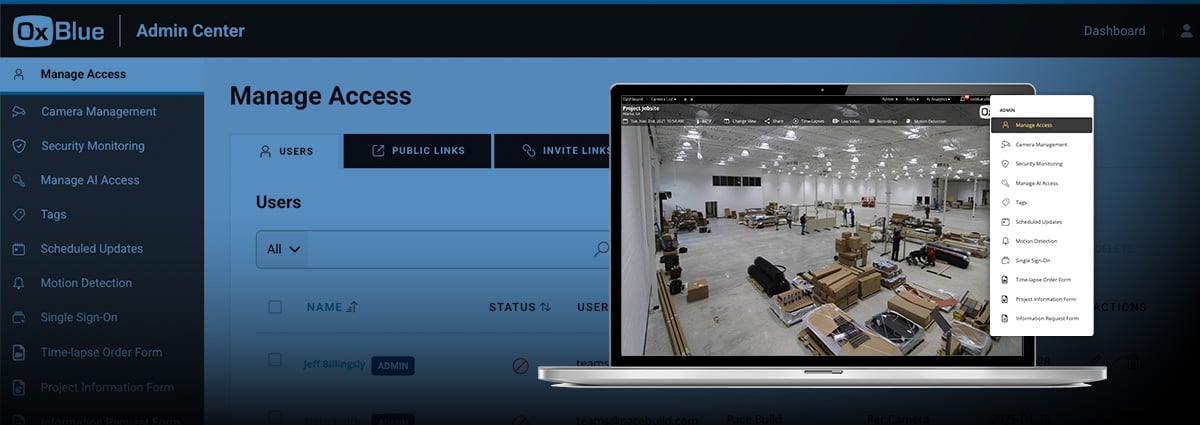
Clear permissions keep teams efficient. When every user has the capability to adjust views or schedule recurring updates; views can become inconsistent and inboxes cluttered with extra updates. OxBlue’s web-app allows Admins to easily manage access for every construction camera in the network. Admins can:
- Restrict or grant access to specific cameras, features, or views.
- Subscribe or unsubscribe users from automated video reports.
- Give livestream control to those who need it and image access to those who don’t.
This flexibility ensures the right people get the right view — keeping collaboration focused and organized.
Strengthen Jobsite Security Protocols
Cameras provide a crucial layer of protection — especially for jobsite security after-hours. Without proper control, security footage can be misused or settings altered, leaving your site exposed. Admins can define security monitoring parameters directly in the OxBlue platform. They can:
- Arm or disarm cameras.
- Set monitoring schedules for nights, weekends, or off-hours.
- Establish alert and response protocols when incidents occur.
With a single Admin managing these controls, security video cameras remain consistent and compliant, protecting assets even when no one’s on site.
Enhance Visibility and Data integrity
Visibility drives better decisions — when it’s managed properly. Different teams need different data. Without clear access rules, sensitive information may be viewed or shared unintentionally. Admins can decide who can access OxBlue’s AI-powered Activity Analysis and Safety Tracking.
They can grant access to analytics for project managers while keeping safety compliance data with authorized leadership. This structure strengthens collaboration while preserving confidentiality — ensuring project visibility works for everyone.
Get Control of Your Jobsite Cameras
Visibility shouldn’t be complicated — or chaotic. With OxBlue’s Admin Center, Camera Administrators can manage user access, permissions, AI tools, and security from one simple dashboard. No matter the project, OxBlue helps you keep every view aligned and secure.